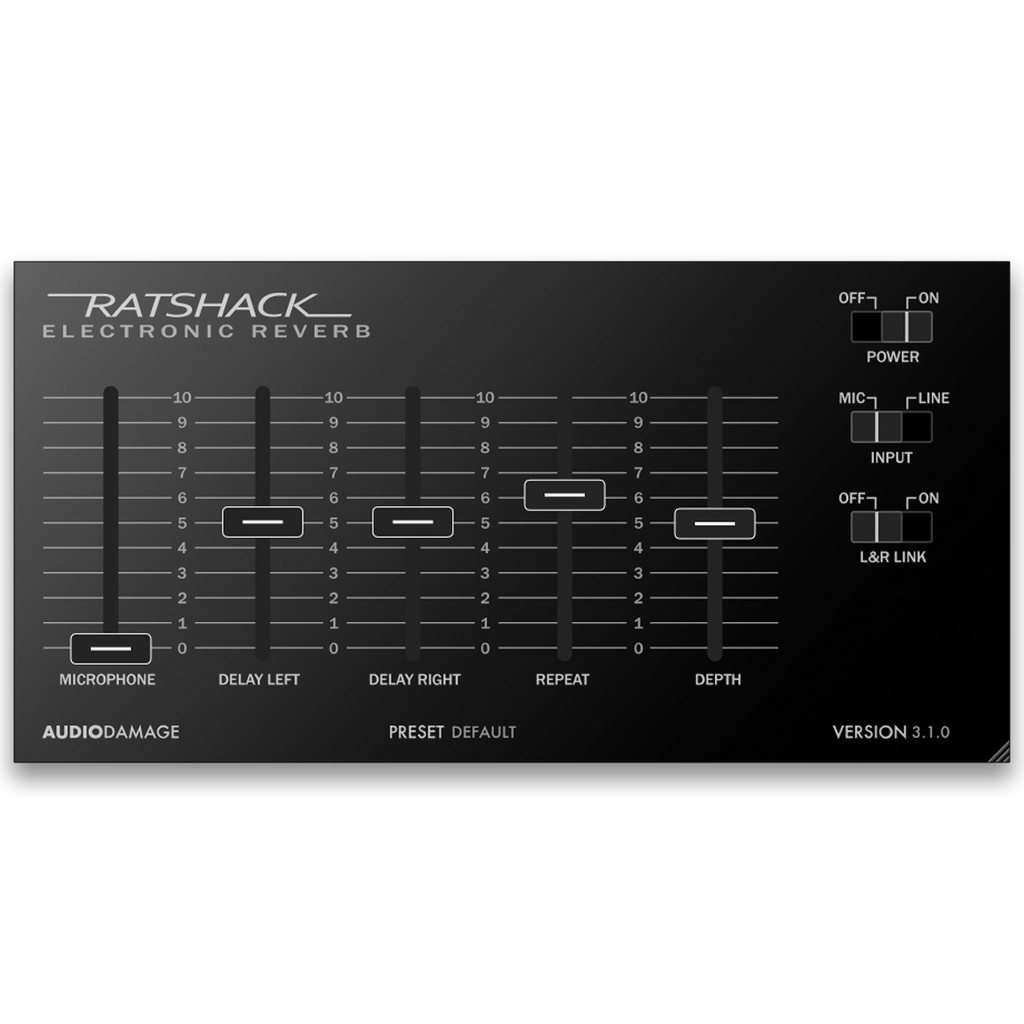
Ratshack Reverb 3 is an analog delay plugin by Audio Damage for macOS, Windows, Linux, and iOS. It models the Realistic Electronic Reverb — a consumer-grade bucket-brigade analog delay sold by Radio Shack in the late 1970s and early 1980s. Despite the "Reverb" in the name, the original was always a delay, and we have reproduced its full character, including the pitch-shift you get when sweeping delay time and the input-stage distortion you can dial in by routing a line signal into the mic input. Stereo, with independent Left and Right delay times and a Link switch for the original mono behavior. Available as VST3, AU, AAX, and CLAP for desktop, and AUv3 for iPhone and iPad. Priced at $19 USD with no DRM, no subscription, and a perpetual license.
Fully functional demo. 20-minute session timer, save disabled.
What hardware unit does Ratshack Reverb 3 emulate?
The Realistic Electronic Reverb, sold by Radio Shack starting in the late 1970s. Despite the "Reverb" in the name, the unit was always a bucket-brigade analog delay, not a reverb. It was inexpensive, ubiquitous in basements and project studios for decades, and developed a cult following for its specific sound. RR3 models that sound — the BBD delay line, the input-stage overdrive, and the pitch-shift on delay-time changes.
Why does the pitch change when I sweep the delay-time knob?
That is the bucket-brigade behavior, faithfully modeled. BBD chips clock samples through a chain of capacitor stages; changing the clock rate to change the delay time also changes the pitch of the signal on the way through. We modeled this because it is part of what the unit sounds like. To avoid the pitch artifact, set the delay time before playing, or automate the knob smoothly.
What does the Mic switch do?
It drives the input stage harder, replicating the overdrive you get on the original hardware by routing a line-level signal into the unit's mic input. Mic off is clean. Mic on is the saturated, distorted character that owners of the original used as a feature rather than a bug.
Does Ratshack Reverb 3 work on Linux?
Yes. Ratshack Reverb 3 is available as CLAP and VST3 for Ubuntu 18 and later. macOS, iOS, and Windows builds are also available. All Audio Damage plugins are released for Linux alongside macOS, iOS, and Windows.
What plugin formats does Ratshack Reverb 3 support?
CLAP, VST3, and AAX on Windows 8.1 or newer. CLAP, VST3, AAX, and AudioUnit on Intel and Apple Silicon macOS 10.12 or newer. CLAP and VST3 on Ubuntu 18 or later. AUv3 on iOS 12 or later. All desktop builds are 64-bit.
How is Ratshack Reverb 3 different from Audio Damage Dubstation 2?
Both are bucket-brigade analog delay emulations, but they model different machines for different jobs. Ratshack Reverb 3 is a faithful model of one specific consumer unit — the Realistic Electronic Reverb — with its quirks intact and a compact control set that matches the original. Dubstation 2 is a more generalized analog delay with extended controls (tempo sync, ducker, filter, tape mode) for use as a flexible studio delay. Different machines, different intended uses. Many of our customers own both.
Does Ratshack Reverb 3 use copy protection, require a subscription, or need iLok?
No. Like all Audio Damage products, Ratshack Reverb 3 uses no copy protection of any kind. You can install your purchase on every machine you own. It is a perpetual license, not a subscription, and there is no online activation requirement after install.