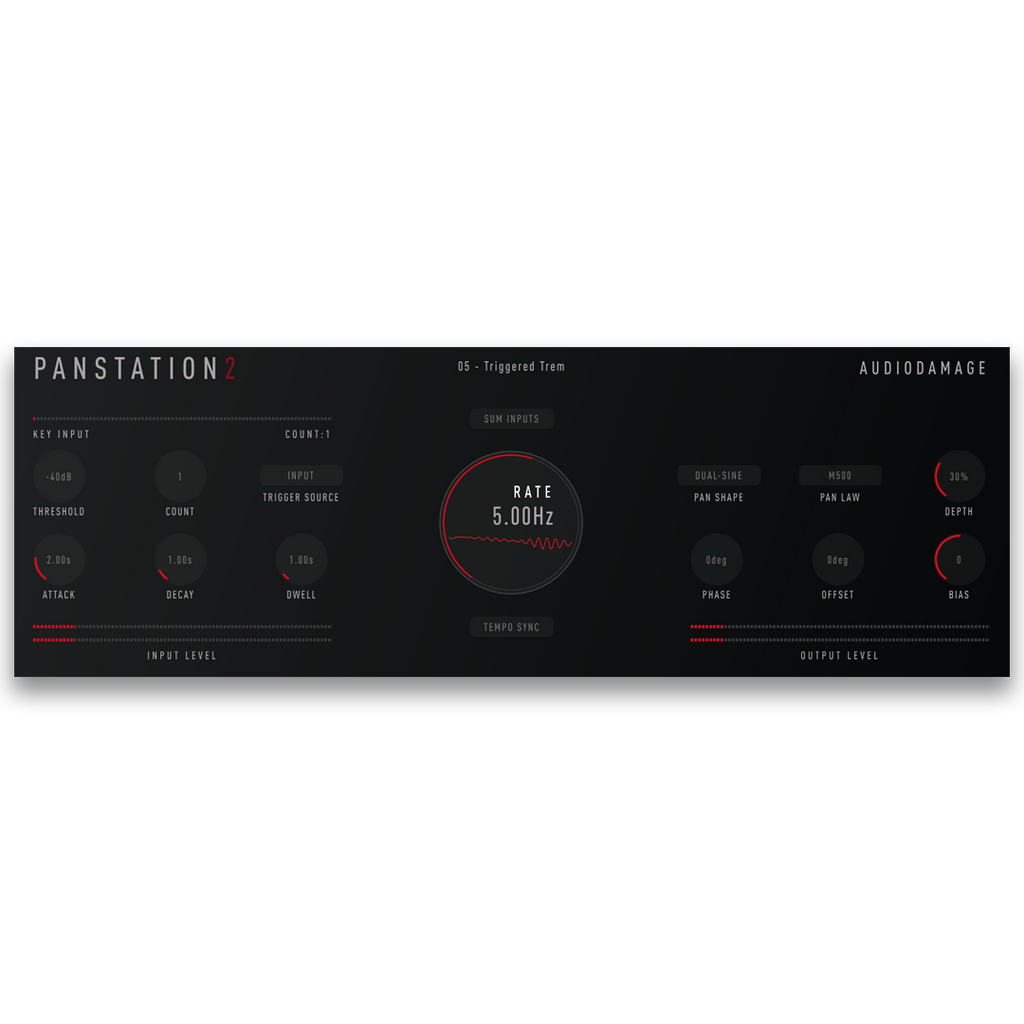
Panstation 2 is an auto-panner and tremolo plugin by Audio Damage for macOS, Windows, Linux, and iOS. Its panning engine is loosely modeled on the Drawmer M500, with an exact copy of the M500's pan law among its four, and it adds the trigger counting of the Audio & Design PanScan, the vintage autopanner that has long been a studio secret weapon. The left and right channels follow LFOs with eleven shapes, and the phase relationship between them takes Panstation from tremolo through stereo movement to full side-to-side panning. Run it free or locked to your host's tempo, or let an envelope bring the movement in and out, fired by the input level, an external trigger input, or MIDI notes, with a Count control that waits for a set number of triggers before it pans. MIDI notes and CC 10 can also set the pan position directly. It comes with 19 factory presets. Available as VST3, AU, AAX, and CLAP for desktop, and AUv3 for iPhone and iPad. Priced at $39 USD with no DRM, no subscription, and a perpetual license.
Fully functional demo. 20-minute session timer, save disabled.
Set the phase offset to 180 degrees with a host-synced sine at a half note for classic side-to-side movement on a Rhodes or a pad. Pull the offset down to zero and Panstation becomes a tremolo; switch to Square or Wide Square for a choppy, gated pulse, or Steps for hard rhythmic jumps across the field on percussion. Feed a kick into the trigger input with Count at 4 so a guitar swings across the stereo field once a bar, or set the source to Input and let only the loudest hits start a pan that fades out with the Decay. Map a hardware knob to CC 10 for hands-on panning moves, or play notes to drop a sound at fixed positions across the field.
What is Panstation 2?
Panstation 2 is an auto-panner and tremolo plugin. Its engine is loosely modeled on the Drawmer M500, with the trigger counting of the Audio & Design PanScan added, and it moves sound between your speakers with eleven LFO shapes, four pan laws, tempo sync, and triggered operation from audio, an external trigger input, or MIDI.
Can Panstation 2 work as a tremolo?
Yes. The phase offset between the left and right LFOs sets the effect. At 180 degrees the channels move in opposition for auto-panning; at 0 degrees they move together, which is a tremolo. The settings between give tremolo with a hint of stereo movement, widening, and everything up to full panning.
What does the trigger Count control do?
Inspired by the Audio & Design PanScan, Count sets how many triggers have to arrive, from 1 to 16, before the envelope fires and the pan starts. Set it to 4 with a kick on every beat and the movement starts once a bar. Triggers can come from the input level, the external trigger input, or MIDI notes.
Does Panstation 2 work on iPhone and iPad?
Yes. Panstation 2 is available as an AUv3 plugin for iOS 9.3 or later, sold separately on the App Store, and its presets are compatible with the desktop versions.
Does Panstation 2 work on Linux?
Yes. Panstation 2 is available as CLAP, VST3, and LV2 for Ubuntu 20 and later. macOS, iOS, and Windows builds are also available. All Audio Damage plugins are released for Linux alongside macOS, iOS, and Windows.
What plugin formats does Panstation 2 support?
CLAP, VST3, and AAX on Windows 10 or newer. CLAP, VST3, AAX, and AudioUnit on Intel and Apple Silicon macOS 10.13 or newer. CLAP, VST3, and LV2 on Ubuntu 20 or later. AUv3 on iOS 9.3 or later, sold separately on the App Store. All desktop builds are 64-bit.
Can I save my own starting point?
Yes. Save over the Default preset in the User folder, and every new instance of Panstation 2 starts from your settings.
Does Panstation 2 use copy protection, require a subscription, or need iLok?
No. Like all Audio Damage products, Panstation 2 uses no copy protection of any kind. You can install your purchase on every machine you own. It is a perpetual license, not a subscription, and there is no online activation requirement after install.